
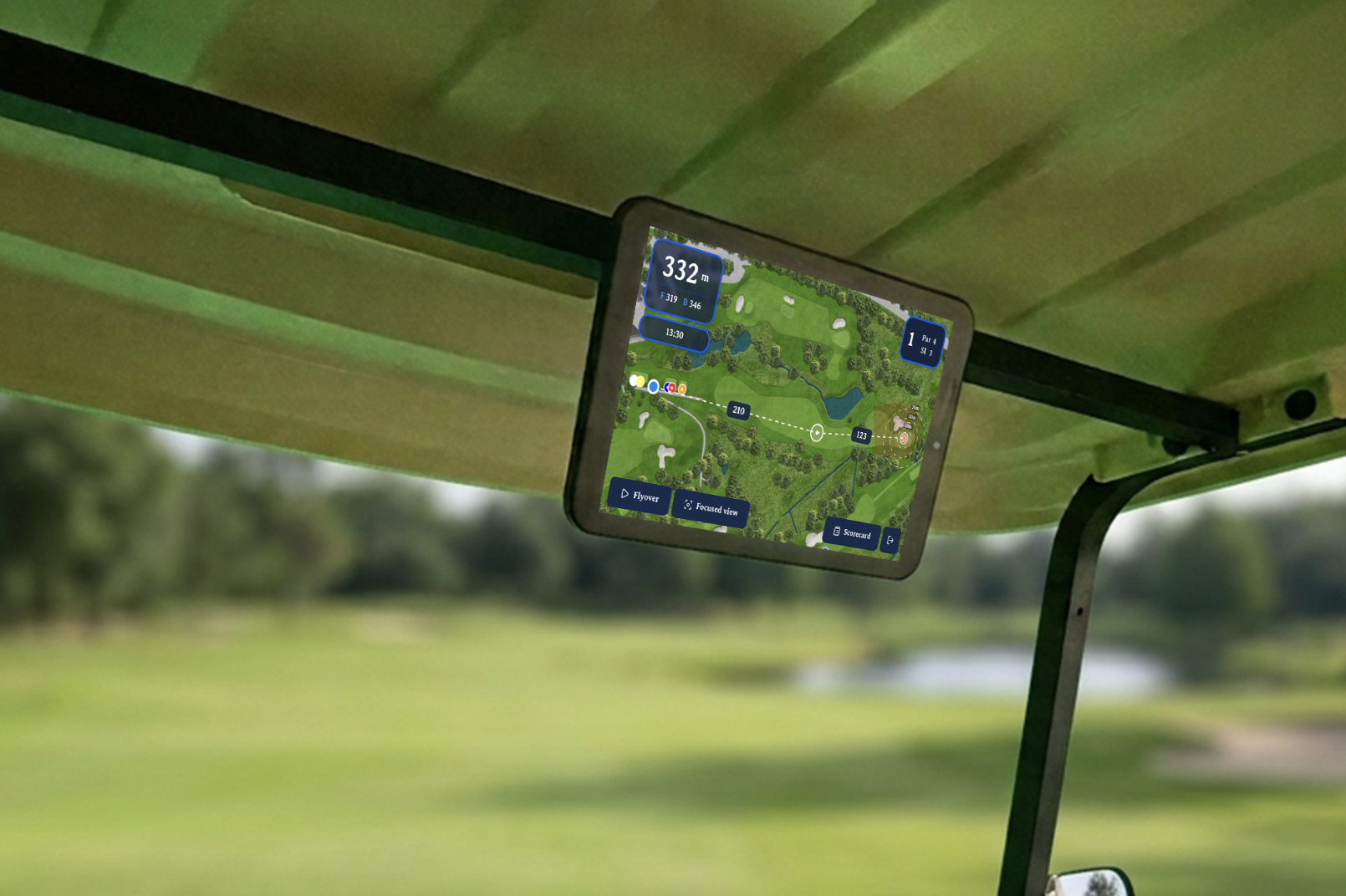
The connected golf cart platform
Intuitive fleet management and golf cart GPS.
Track every cart and give guests a better round.
- Live GPS
- Geofencing
- Ads and ordering
The portal
One portal for the whole club
Fleet, zones, ads, orders and bookings, all in one place.
Fleet
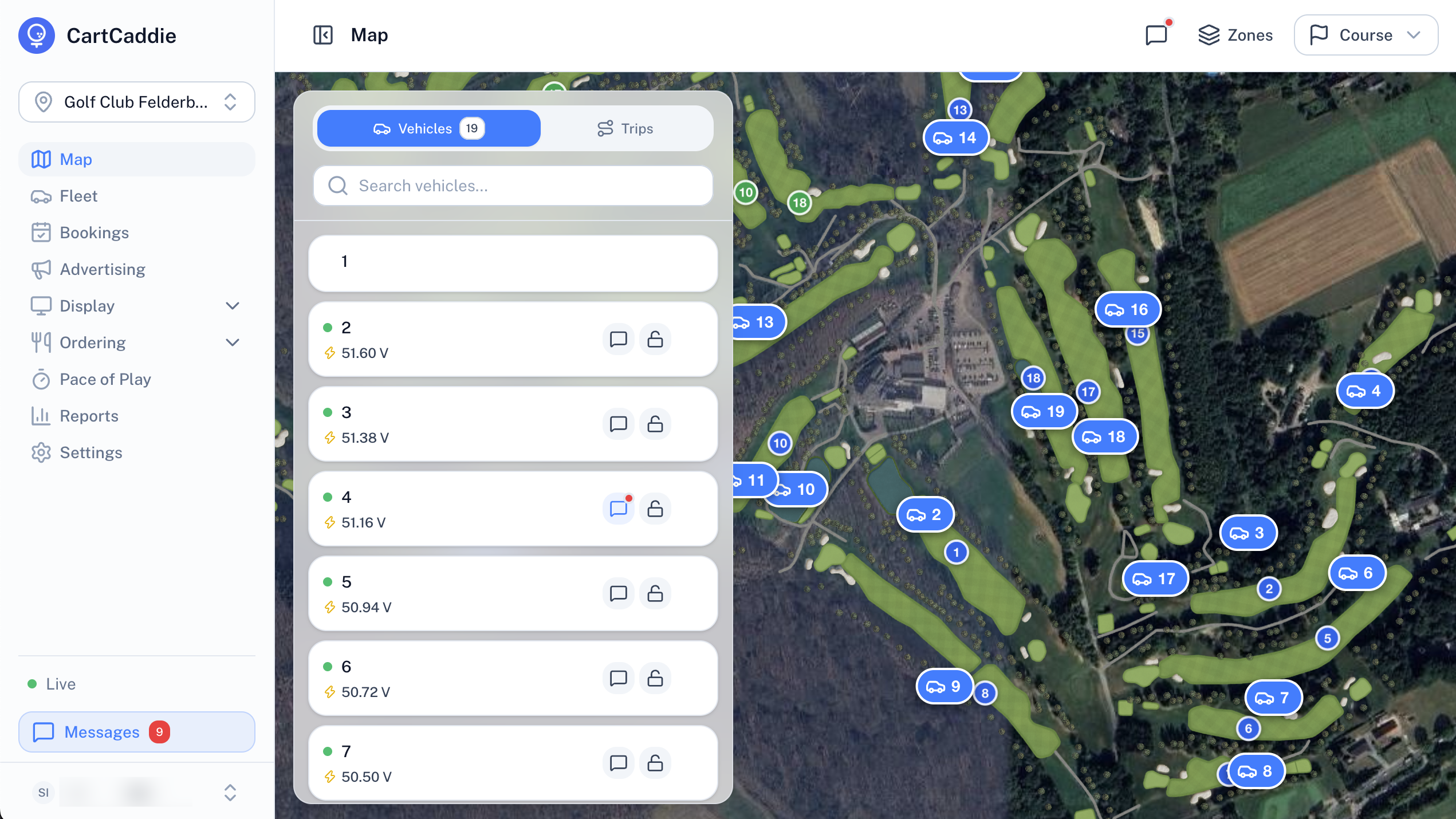
Every cart, live
The fleet dashboard in the clubhouse, and a GPS guide on the cart.
- Every cart on your course map
- Replay any cart's route
- Pace of play for every group
- Message a cart from the clubhouse
Control
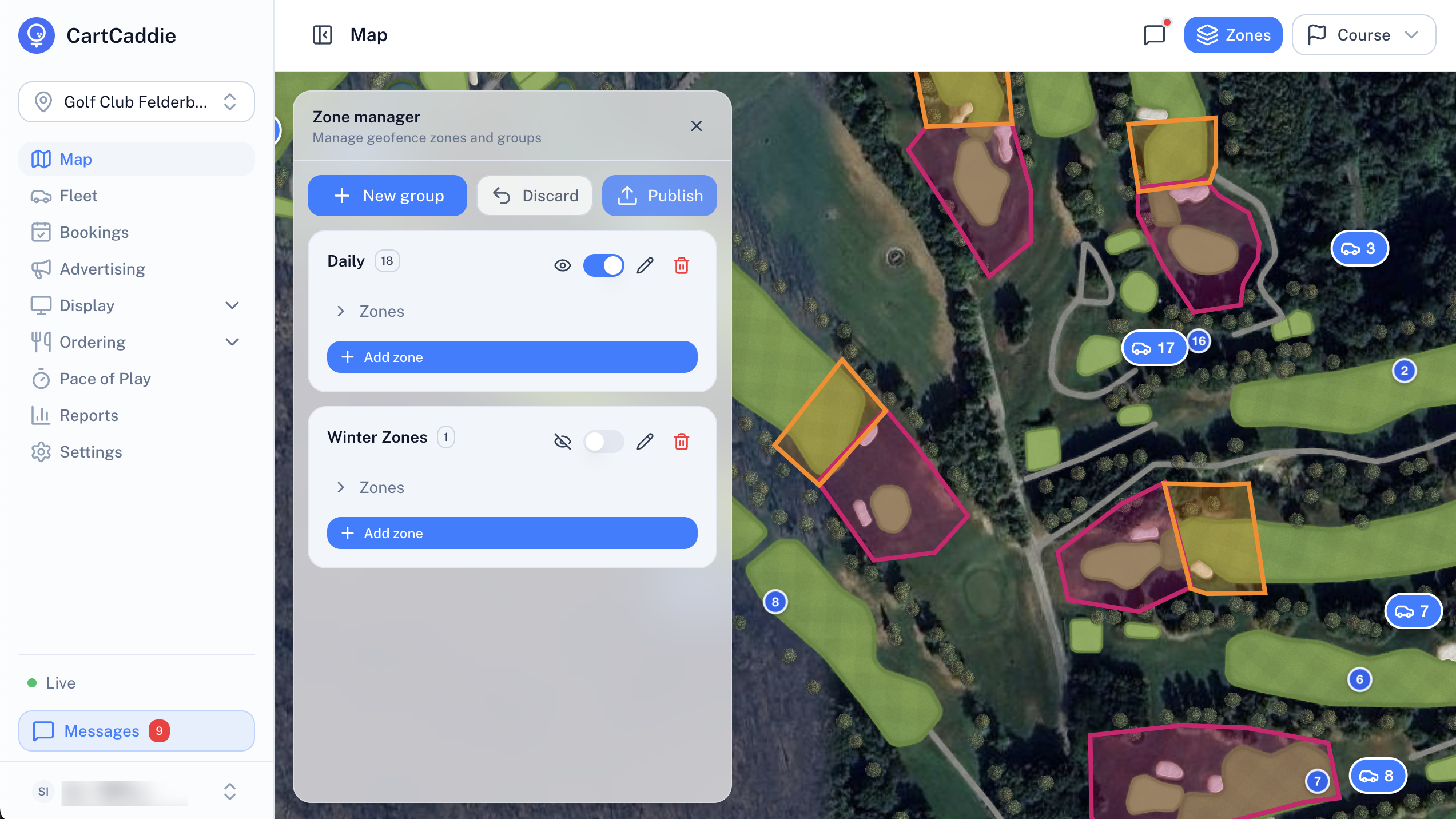
Zones, alerts and cart control
Draw the course, warn golfers, and stop or unlock a cart.
- Draw zones on the course map
- Alerts near hazards and boundaries
- Carts stop in restricted zones
- Keyless lock and unlock
Advertising
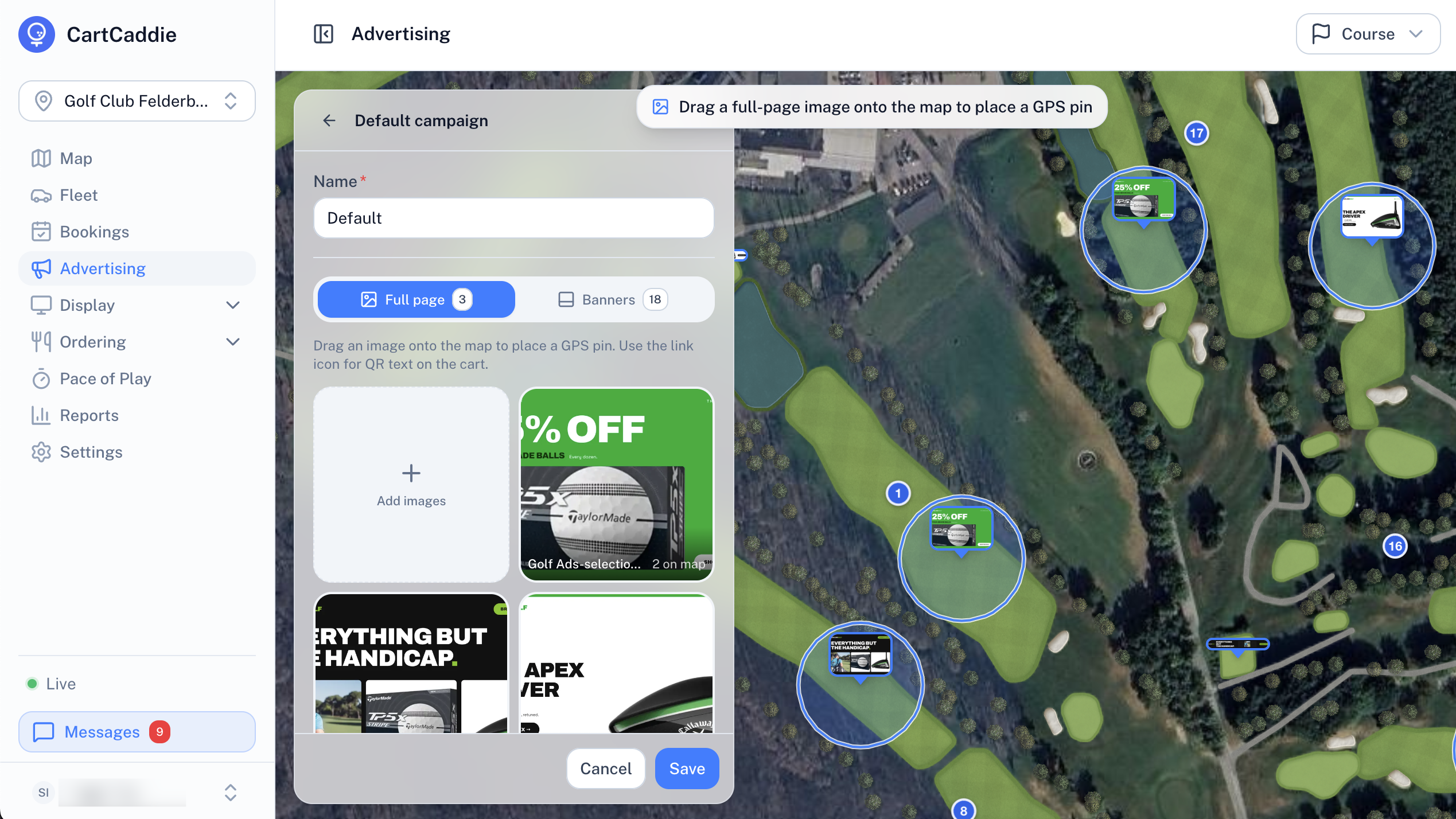
Sponsors on every hole
Build a campaign, then drag each ad onto the course. Golfers see it on the cart.
- Drag ads onto the map to pin them to the course
- Custom welcome screen for the length of a campaign
- Hole banners and full-page ads, with an optional QR code
- Target every cart or just the ones you choose
Cart screen screenshot: full-page sponsor ad with QR code
Image placeholderFood and drink ordering
The halfway house, on every cart
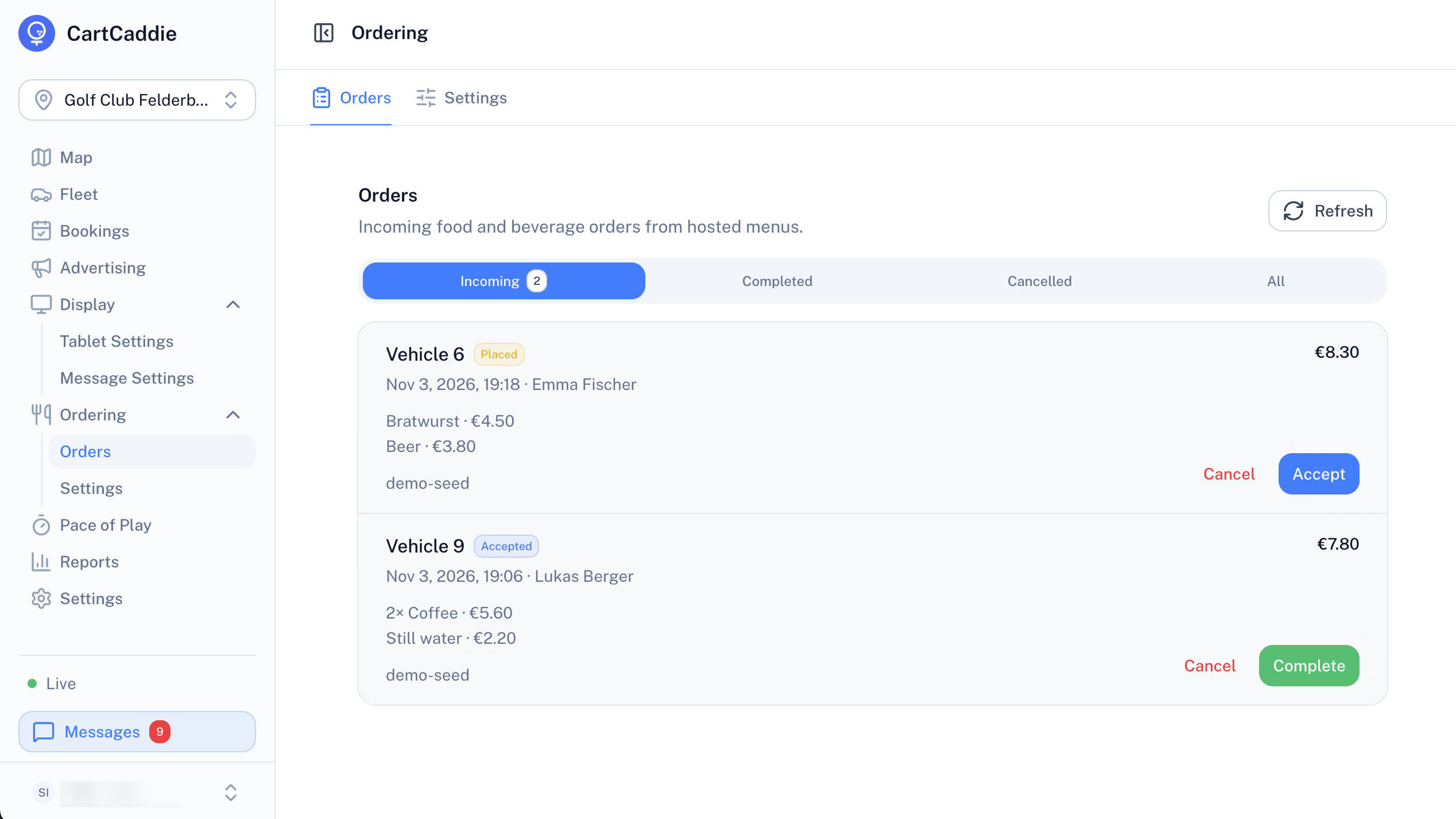
Golfers order from the cart. Your team accepts and delivers from the portal.
- Host a menu, upload a PDF or link your own ordering system
- Set opening hours and a clubhouse phone number
- Choose which holes prompt golfers to order
- Accept, complete or cancel orders in the portal
Cart screen screenshot: food and drink order from the cart
Image placeholderBookings
Every cart, booked for the day
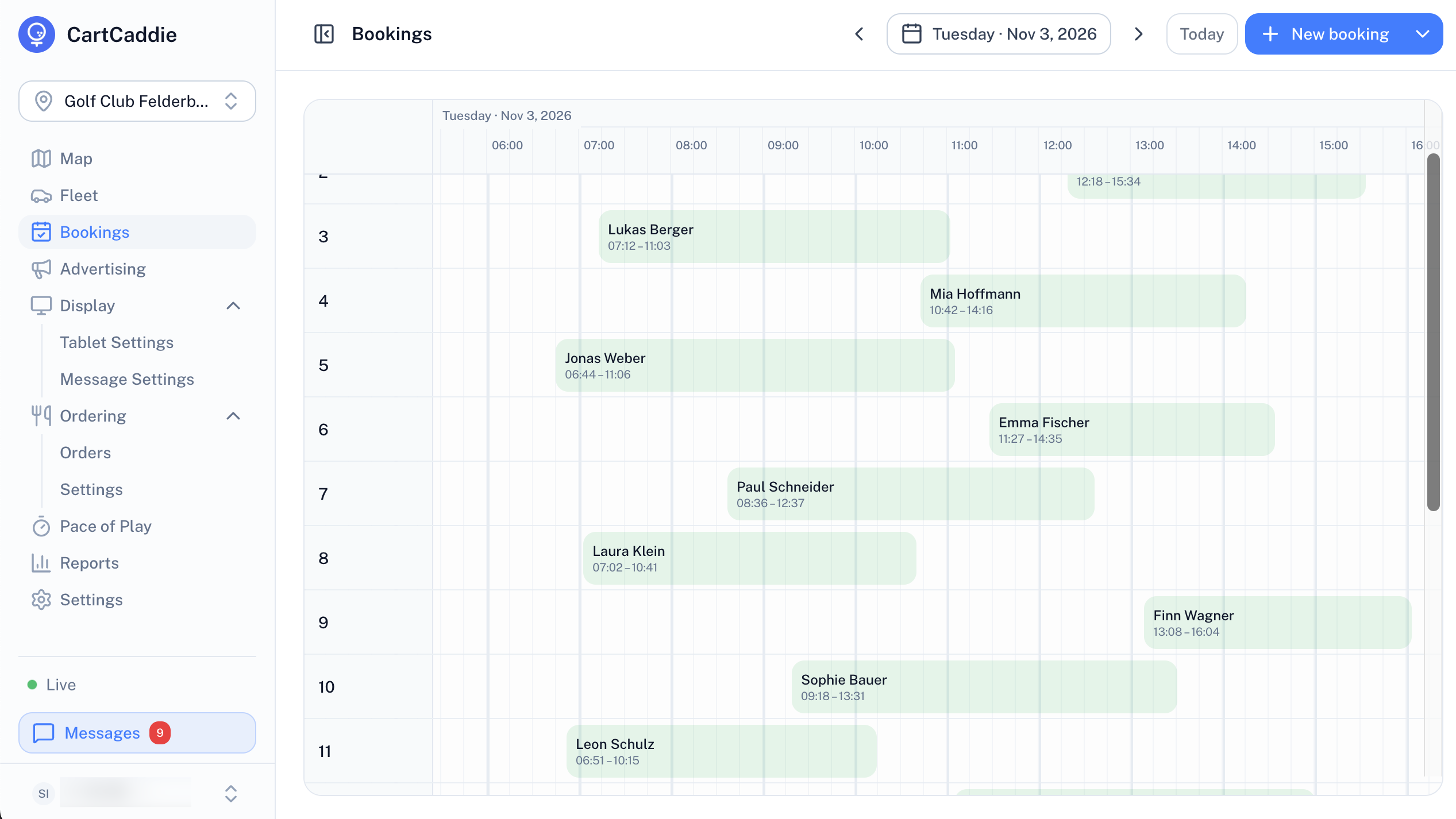
Reserve a cart for a guest and see the whole day on one schedule.
- A timeline for every cart
- Guest name, start and finish on each booking
- Add a booking from the portal
Pricing
Plans for any fleet
Priced per cart, with the portal included.
- Live tracking and trip history
- Geofence alerts
- Advertising and food ordering
- Pace of play and messaging
- Course guide and scorecard
- Everything in CartCaddie
- Geofence stop
- Keyless lock and unlock
- Cart bookings
FAQ
Frequently asked questions
Get started
See CartCaddie on your course
Tell us about your club and we'll set up a demo.